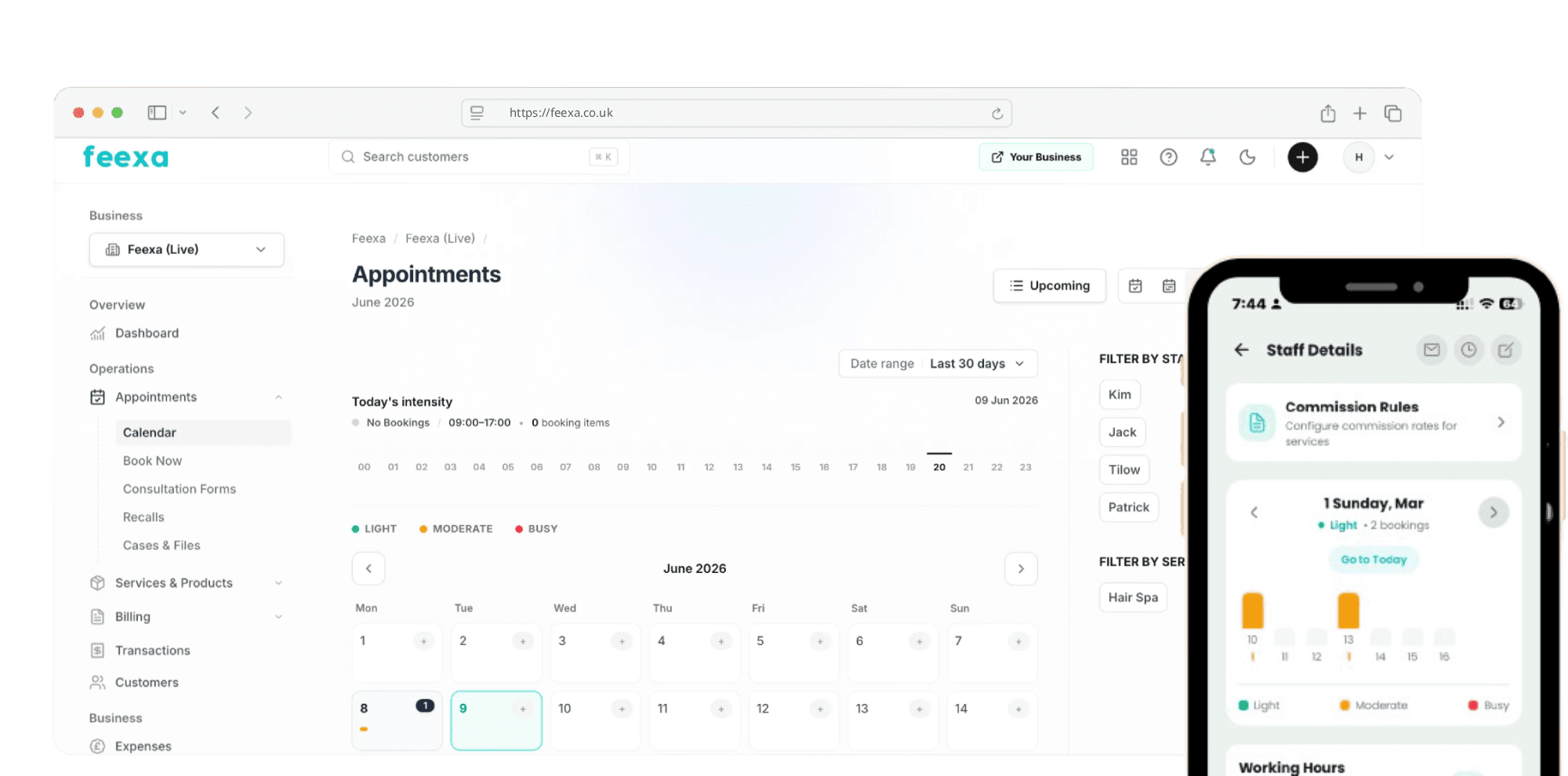
Manage your business, all in one app
Accept bookings,
get paid contactlessly.
Calendar, contactless payments, payment links, invoicing, and expenses — all in your pocket with Feexa. No monthly fees or extra hardware.

30,000+
businesses
4.8 ★
on Trustpilot
0.90% + £0.10
UK card fee
£0
monthly fee
Book, get paid, move on
Feexa brings your calendar, Tap to Pay, and back-office tools together — so you spend less time on admin and more time with clients.

Flexible payments, fair pricing
Competitive pricing you can count on, without hidden fees.
No monthly subscription. Clear transaction fees, tap-to-pay on iPhone, payment links and invoicing — so you always know what you are paying for.
UK cards from 0.90% + £0.10. No hidden fees.
Reporting made simple
Keep your finances in order with all your reporting in one place.
Track revenue by employee, booking method, payment type or category – VAT included. See every transaction on one page and get two clear monthly invoices. Easy, organised, effortless.


Protect your time
Cancellations happen, but lost revenue doesn't have to.
Use prepayments, custom cancellation policies, no-show charges, client blocking, and automatic reminders to keep your calendar (and income) secure.
Receive bookings from multiple channels
Turn interest into appointments, wherever clients find you.
On Google, social media, your website or through Feexa — our booking widgets help you turn interest into appointments.


Log client history
Every visit feels personal — without the mental load.
Track treatments, preferences and personalised notes in one place so every visit feels like you remembered everything without trying.
Send consultation forms
Prep with confidence before they arrive.
Collect key details in advance, from allergies to goals, to help you prep with confidence and deliver a smoother, more tailored service.


Nudge clients to rebook
Stay top of mind without lifting a finger.
We'll automatically send friendly reminders when it's time for their next appointment so you can stay top of mind without lifting a finger.
Offer a waiting list
Don't lose loyal clients to a full calendar.
Let them join a waiting list and book the next available slot as soon as one opens up.

Pricing
Free to start. No monthly fee. Pay only when you get paid — with bookings and Tap to Pay included.
SumUp
monthly subscription
Basic payment processing for small businesses.
- Tap to Pay
- Payment Links
- Basic Reporting
Feexa
Best valuefree forever
Complete payment and finance solution for small businesses.
- Tap to Pay on iPhone
- Online Bookings
- Payment Links
- Invoicing
- Recurring Invoices
- Expense Tracking
- Automatic Reminders
- Dashboard & Analytics
- Customer Management
Zettle
monthly subscription
Payment processing with basic features.
- Payment Links
- Invoicing
- Basic Reporting
Transaction fees comparison
Feexa is a free application designed for small businesses and individual sellers; to ensure fairness, a Fair Usage Policy applies — some features may be limited if your account exceeds reasonable usage thresholds. For larger commercial operations, please contact us.
Got a question?
We've got the answer
- iPhone: iPhone XS or newer, iOS 18 or later.
- Android: NFC-enabled devices on Android 9 or higher.
- Tablets: Android tablets are supported if they have NFC and a compatible OS. iPads are not supported.
Setup steps:
- Download the app: Get Feexa from the App Store or Google Play.
- Check your device: iPhone XS or newer on iOS 18 or higher.
- Enable location access for Feexa.
After allowing location, connect your Apple ID to proceed with Tap to Pay on iPhone.
Start taking payments:
- Open Feexa.
- Select an appointment and tap Go to payment.
- Ask the client to hold their card or device near your phone. Done!
Yes — multiple team members can use Tap to Pay as long as:
- They have the Feexa app installed.
- They have the right permissions.
- Their device is compatible.
Yes! There is a difference between Tap to Pay and PIN payments:
- Tap to Pay: Contactless card or digital wallet — no PIN needed for most transactions under the limit.
- PIN payments: If the transaction exceeds the limit or the card requires a PIN, your customer will need to enter it.
- Android-specific: PINs work if the card supports online PIN.
You can choose to receive payouts daily, weekly, or bi-weekly with no extra charge.
To update your payout frequency, go to Settings → Finances → Payout schedule in the app or on desktop.
You can collect tips by adding them to the total checkout amount or by creating a “Tip” product, which will show in your reports.
You can accept payments by smartphone, physical card, or smartwatch.
- Cards: Visa, Mastercard, American Express, Maestro, and more.
- Digital wallets: Apple Pay and Google Pay.